Trisul NetFlow Analyzer Use Cases
Understand, monitor, and optimize network traffic using real-time and historical flow data.
Trisul NetFlow Analyzer helps network teams monitor traffic, detect anomalies, analyze bandwidth usage, investigate incidents, and troubleshoot performance issues using deep flow visibility across IPs, applications, interfaces, and networks.
Real-Time NetFlow Traffic Monitoring
How can I monitor network traffic in real time using NetFlow?
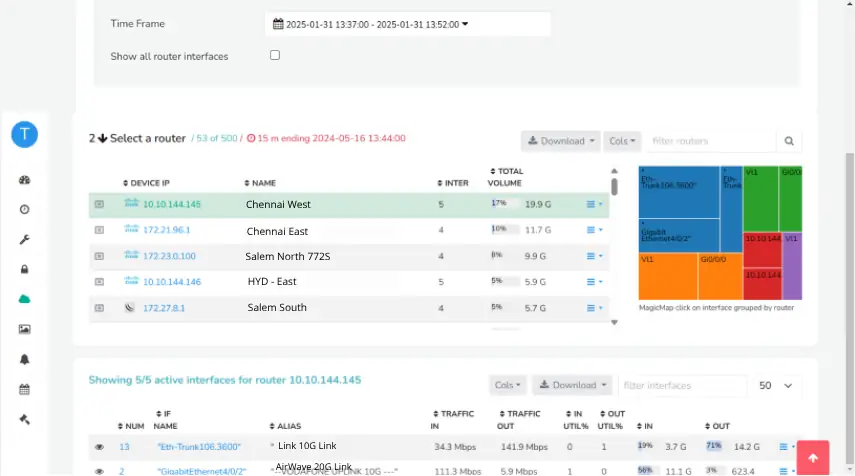
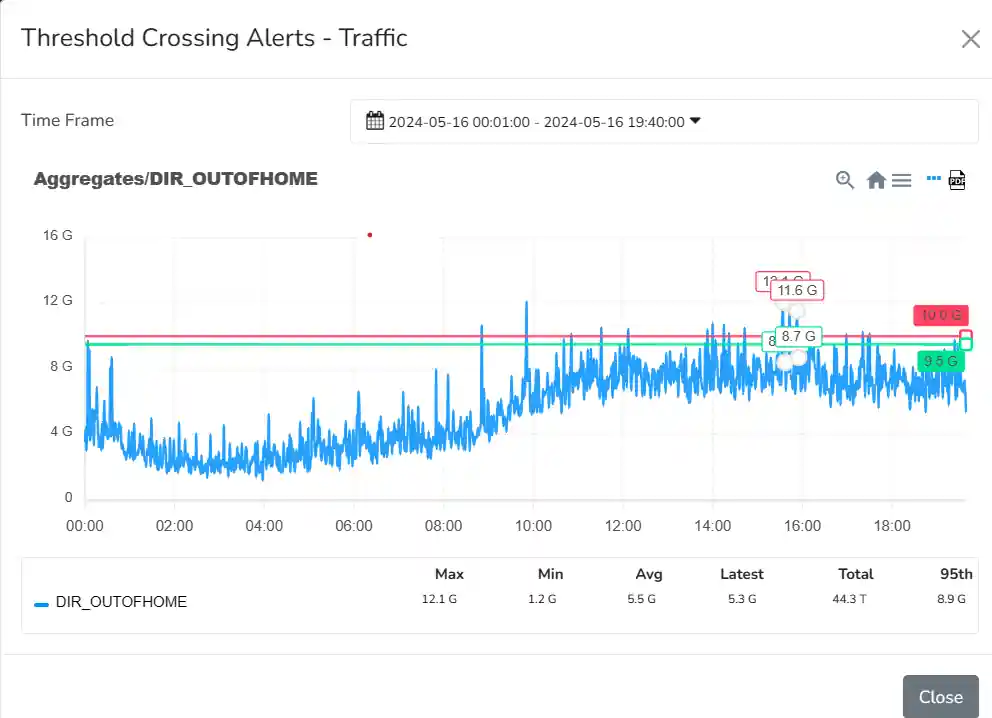
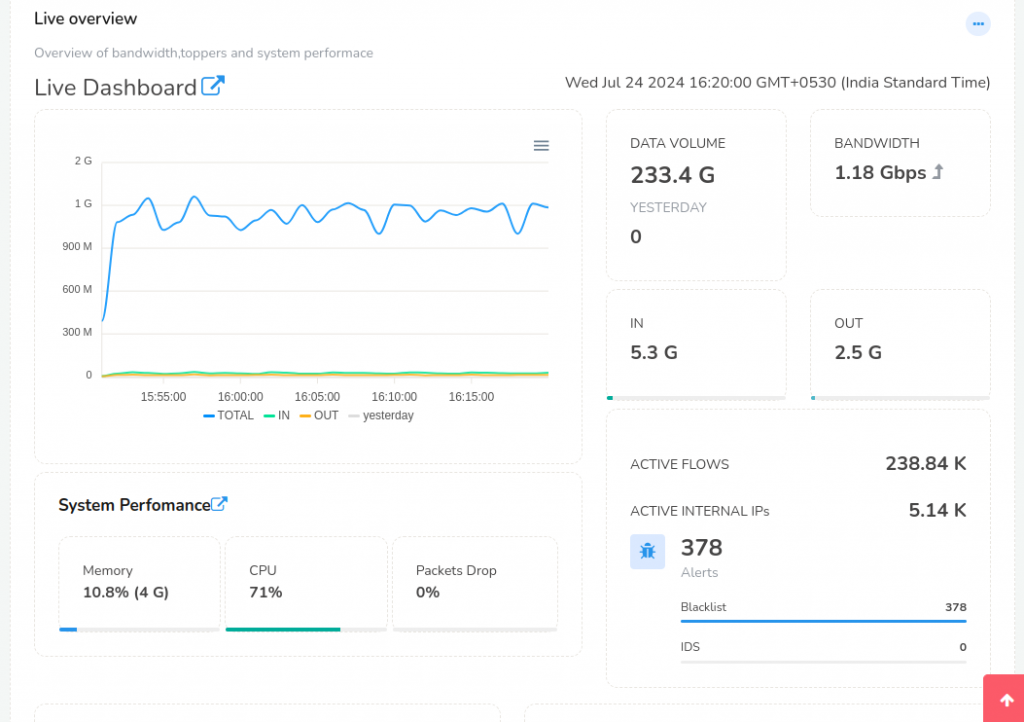
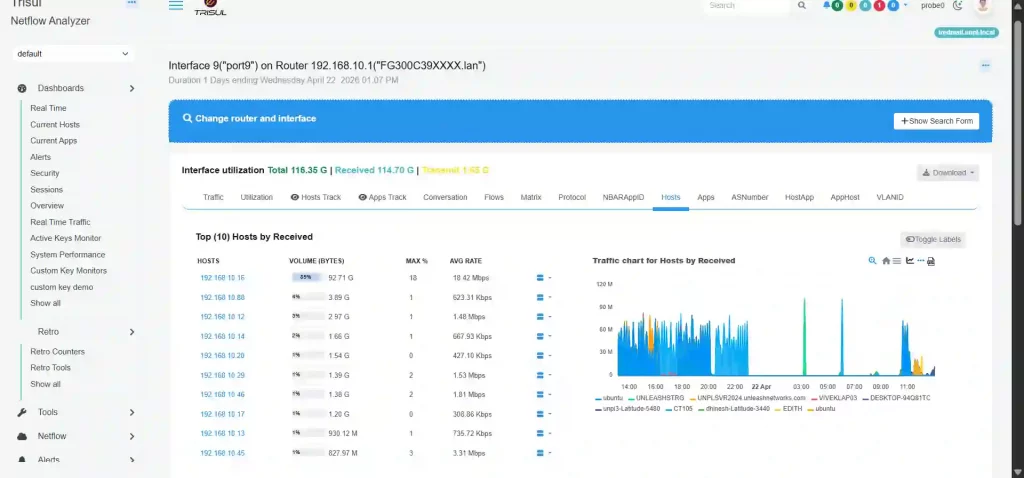
Real-time NetFlow traffic monitoring requires continuously processing flow telemetry to analyze traffic volume, flow rates, and interface utilization across the network. Trisul Network Analytics Trisul NetFlow Analyzer performs network traffic monitoring using NetFlow by processing NetFlow, IPFIX, and sFlow records through streaming analytics to generate live NetFlow traffic analysis, Top-K rankings, and real-time bandwidth monitoring.
Bandwidth Hog Detection Using NetFlow
How can I identify bandwidth hogs and top bandwidth users in my network?
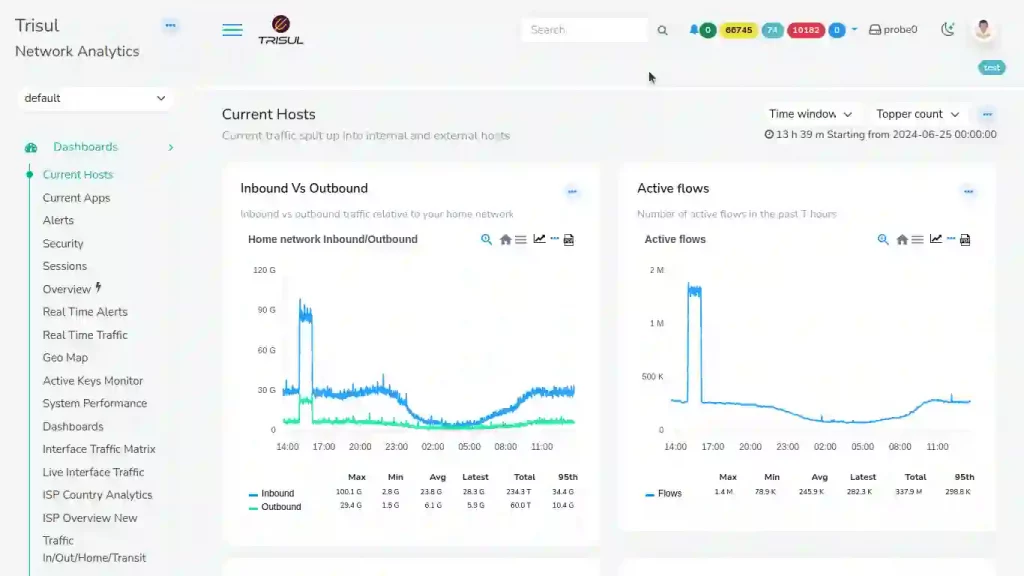
Bandwidth hog detection requires analyzing flow records to determine which users, applications, or conversations consume excessive bandwidth. Trisul NetFlow Analyzer uses streaming Top-K analytics to continuously rank traffic by volume, helping teams identify top bandwidth users and perform real-time bandwidth usage analysis.
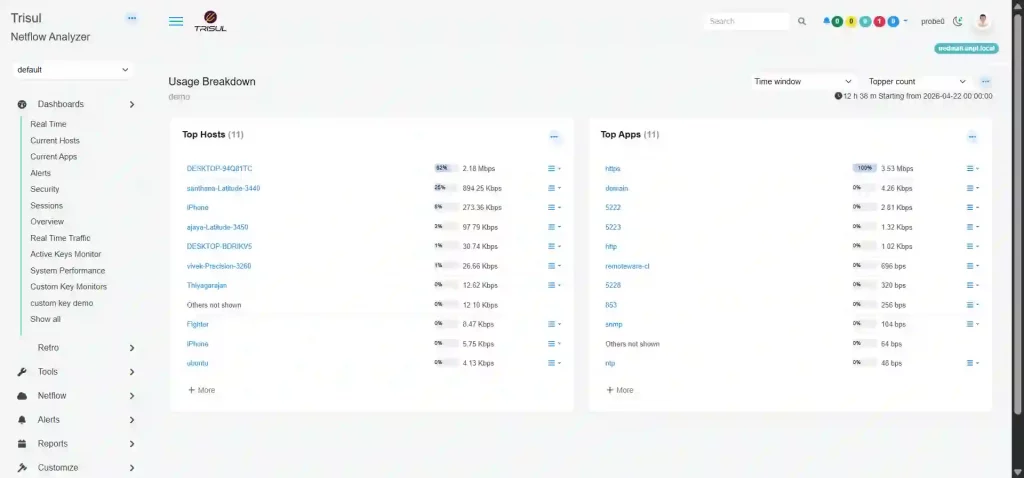
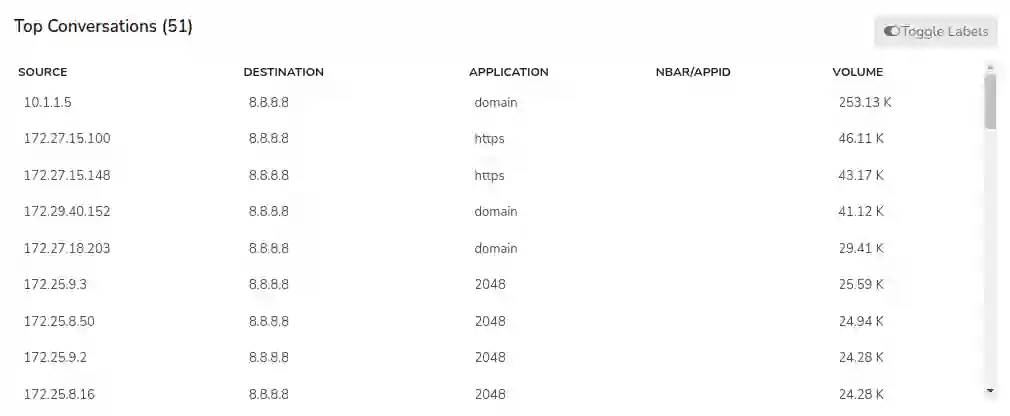
Application Bandwidth Monitoring and Application Traffic Analysis
How can I monitor application bandwidth usage using NetFlow?
Application bandwidth monitoring requires analyzing flow records to identify which applications consume the most bandwidth across the network. Trisul NetFlow Analyzer performs application traffic analysis using NetFlow by analyzing ports, protocols, and application identifiers, and aggregating traffic into the Apps CounterGroup for real-time network application visibility and application usage analysis.
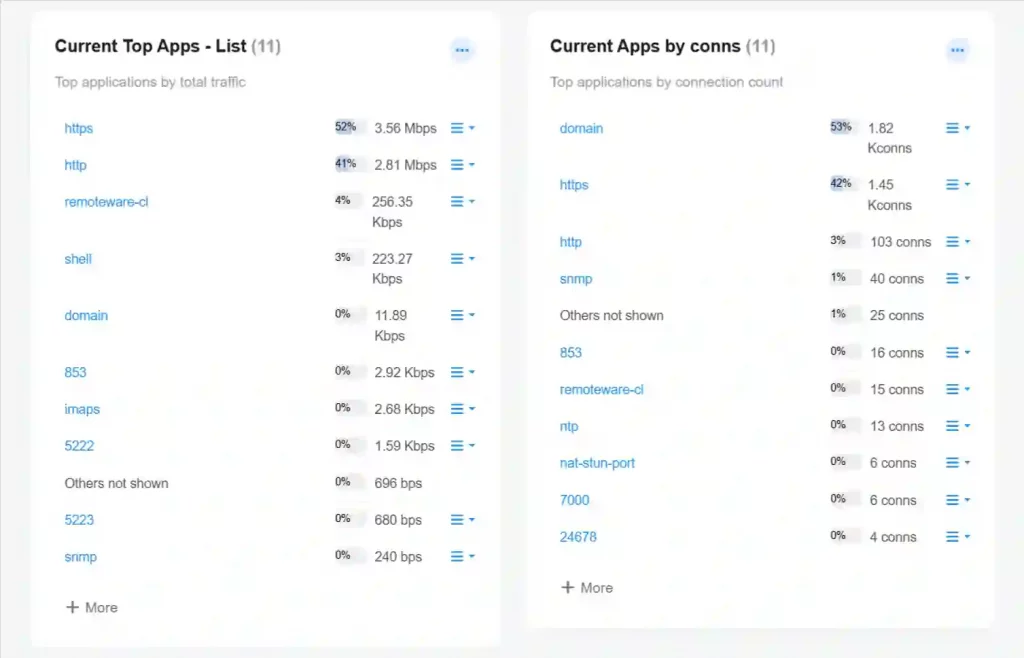
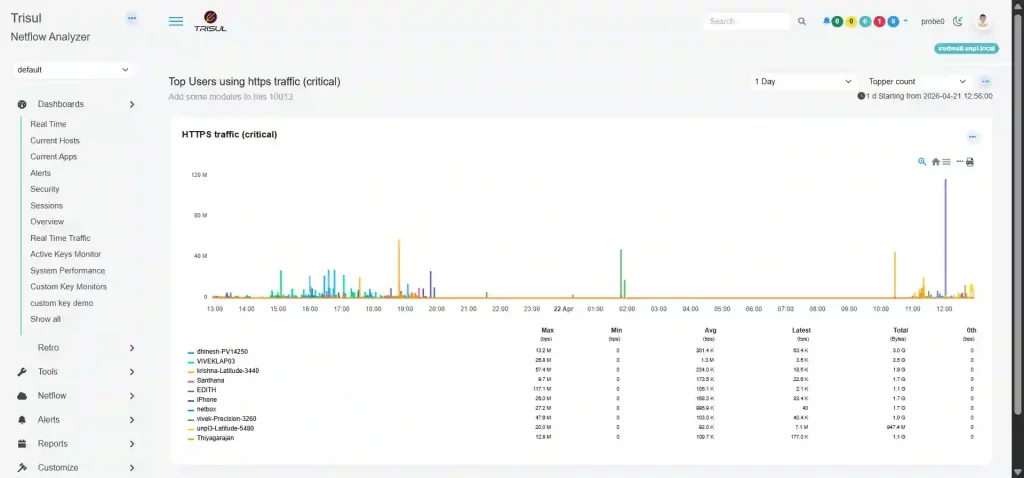
Historical NetFlow Traffic Analysis and Incident Investigation
How can I analyze historical network traffic using NetFlow?
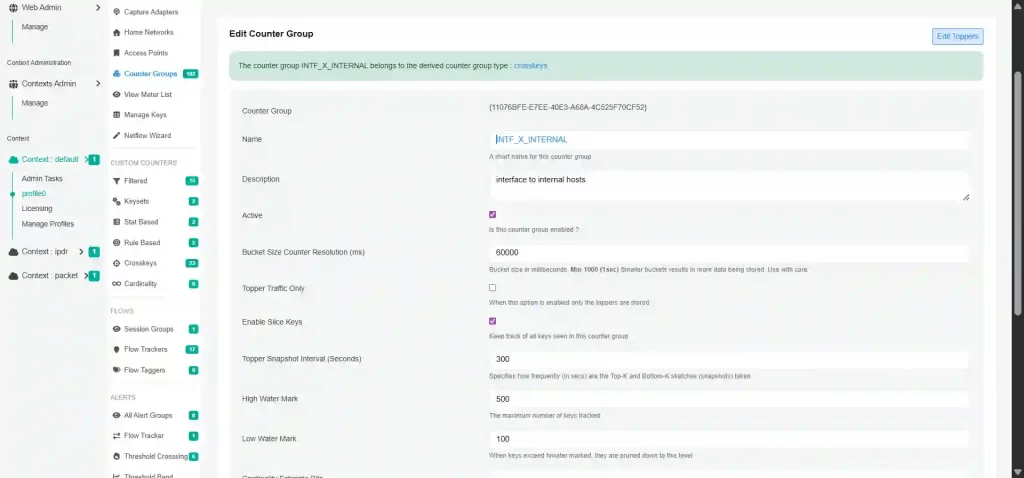
To analyze historical network traffic, teams need retained flow records and historical traffic metrics for retrospective analysis. Trisul NetFlow Analyzer supports historical NetFlow traffic analysis by storing full-resolution flow records without rollups and maintaining historical traffic analysis data through streaming snapshots, enabling network traffic history analysis across any time range.
Network Traffic Drilldown and Flow Forensics
How do I investigate specific network traffic issues in detail?
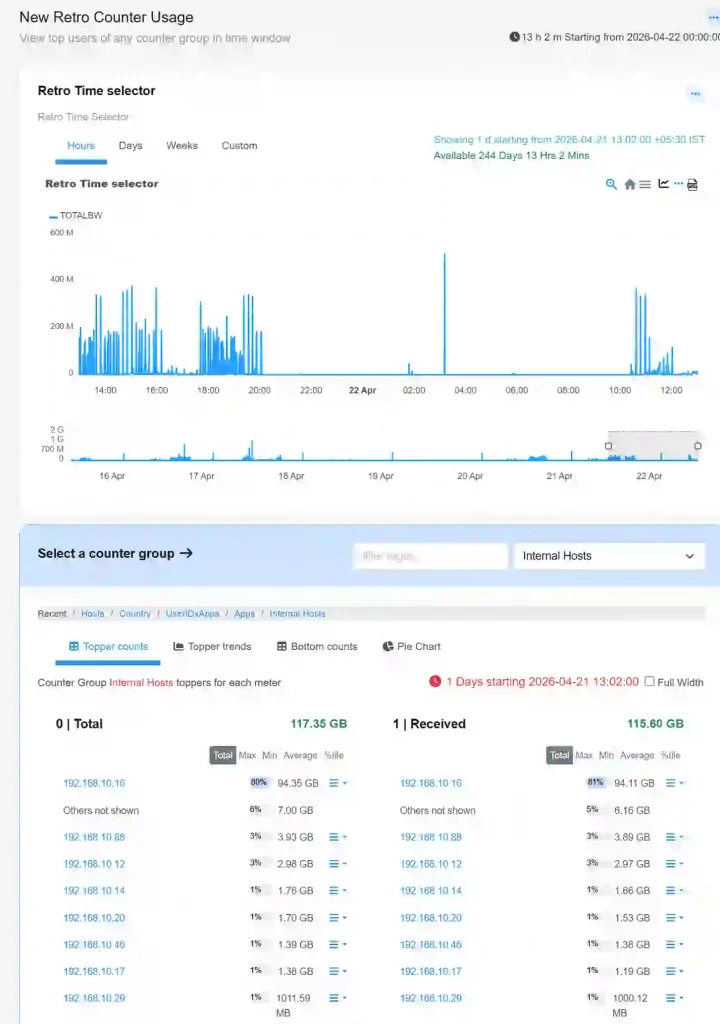
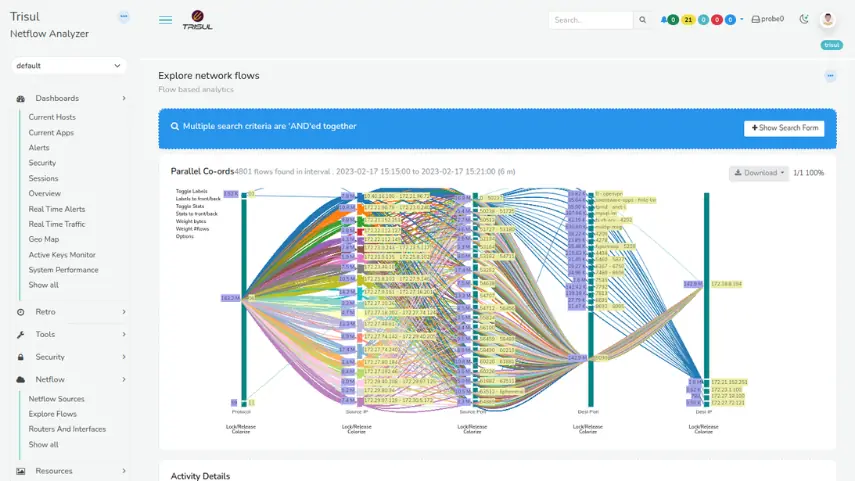
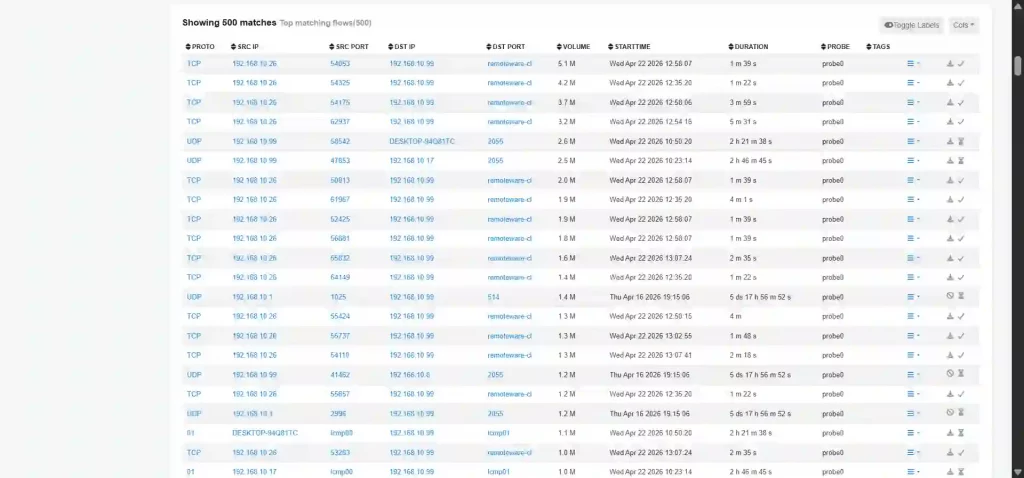
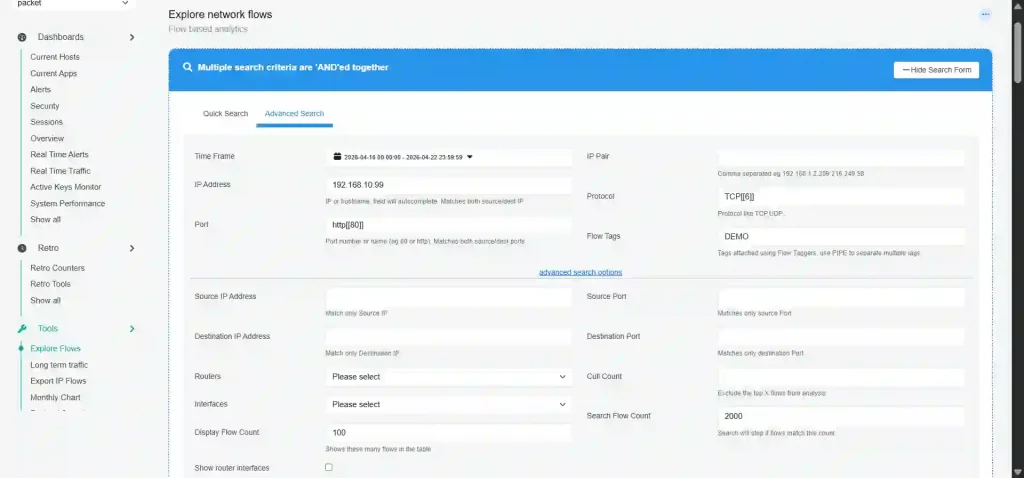
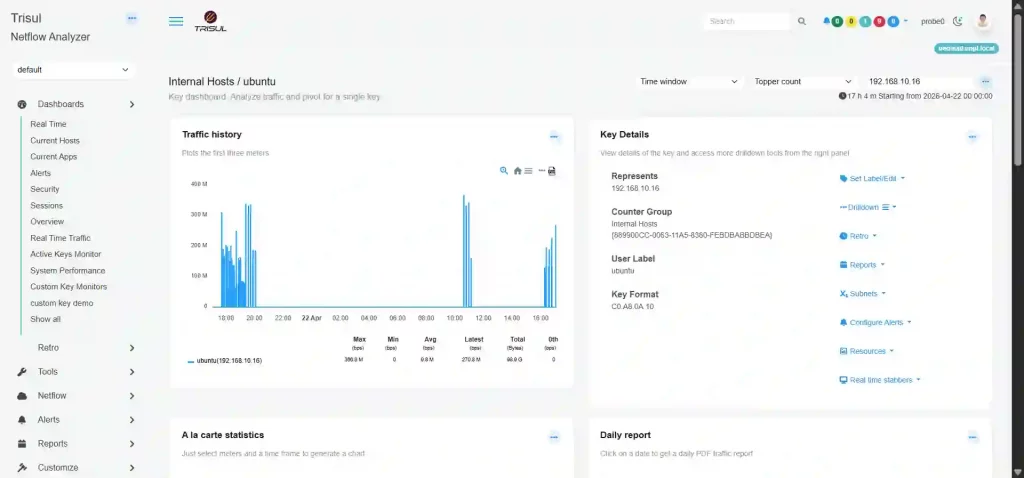
Network traffic drilldown requires breaking aggregated traffic into interfaces, hosts, applications, and raw flows to isolate abnormal behavior. Trisul NetFlow Analyzer performs NetFlow traffic investigation by using CounterGroup drilldowns to progressively narrow traffic from high-level summaries into detailed flow-level traffic analysis and conversation views for network traffic forensics.
- Isolate the exact hosts or applications causing traffic anomalies
- Compare traffic behavior across source and destination endpoints
- Perform bi-directional traffic analysis to inspect complete conversations
Benefit: Improve troubleshooting accuracy, reduce investigation time, and resolve network issues faster.
Multi-Dimensional Network Traffic Analysis
How can I analyze traffic across IPs, locations, and networks?
Multi-dimensional network traffic analysis requires organizing flow data into different traffic dimensions for comparison and correlation. Trisul NetFlow Analyzer does this by metering traffic into CounterGroups such as Hosts, Apps, Ports, ASN, and Geo, enabling network traffic analysis by IP, ASN traffic analysis, and geolocation traffic analysis through correlated traffic views.
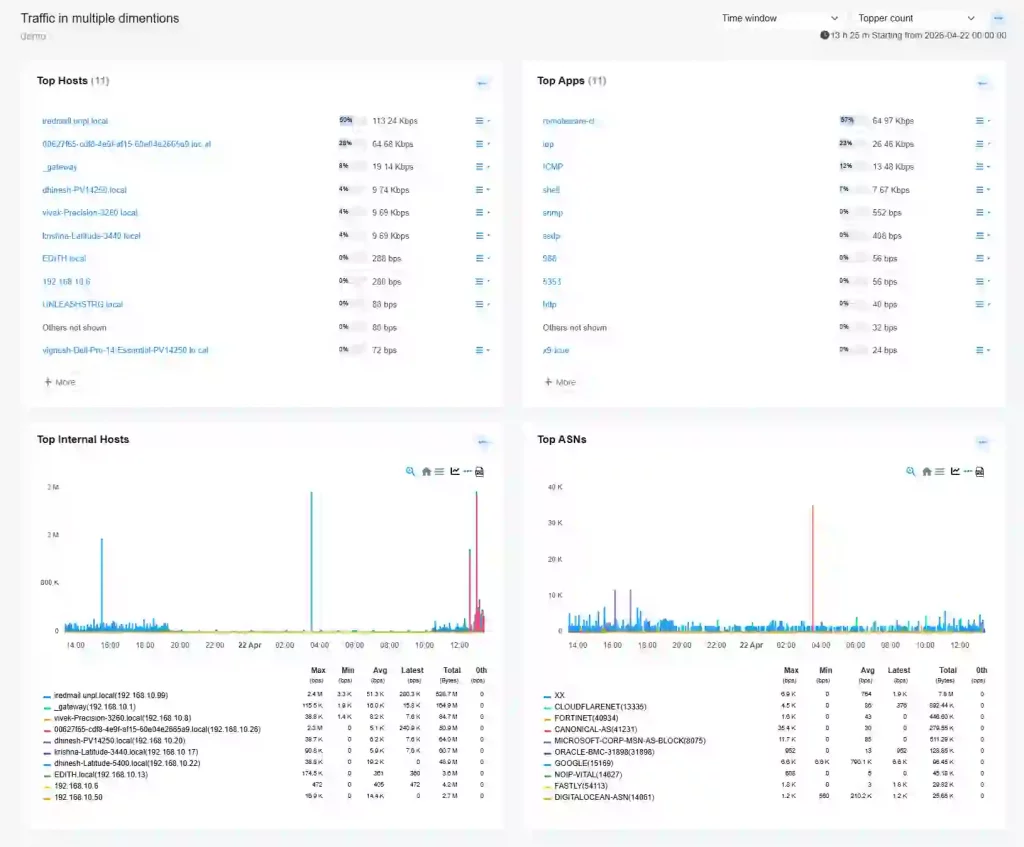
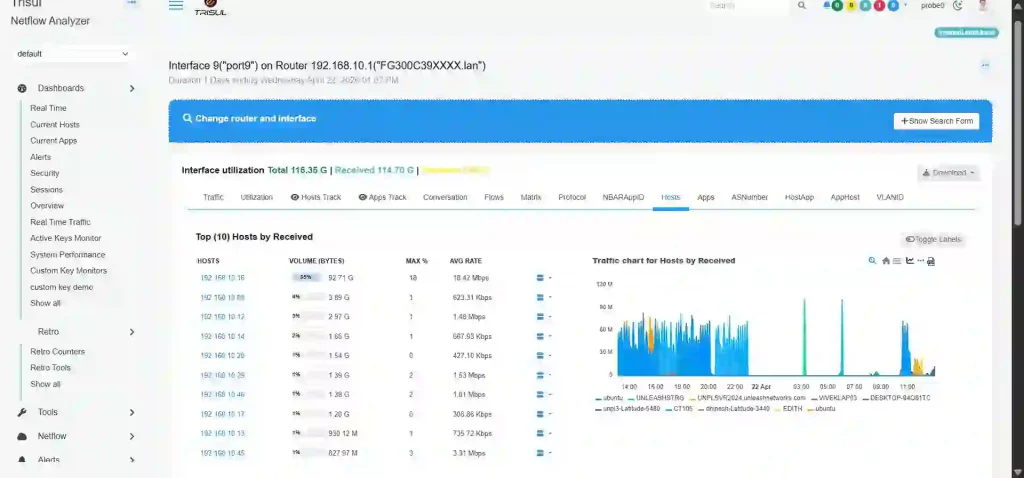
- Compare traffic patterns across hosts, applications, and network segments
- Analyze country-wise and ASN-wise traffic distribution
- Correlate traffic across multiple dimensions to identify anomalies
Benefit: Improve traffic engineering, optimize routing decisions, and uncover hidden traffic patterns faster.
Network Capacity Planning Using NetFlow
How can I plan network capacity and future bandwidth needs?
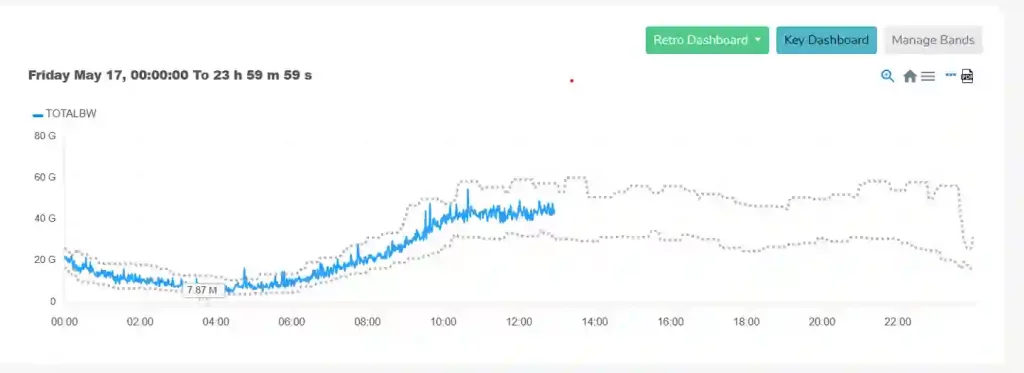
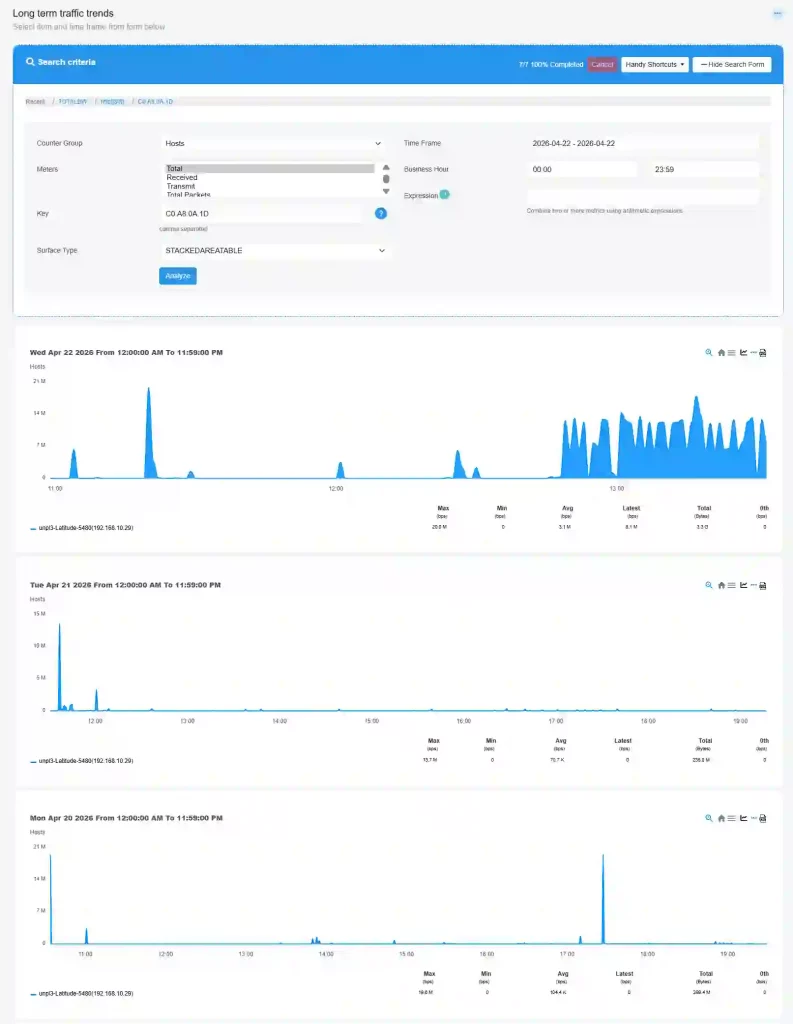
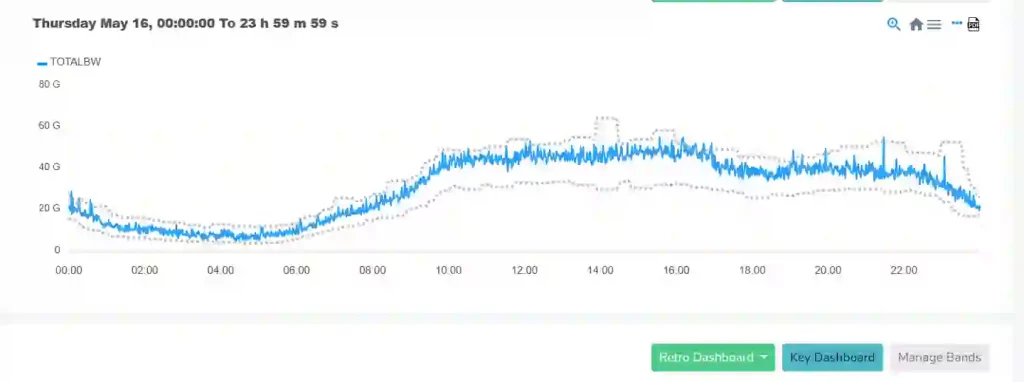
Network capacity planning using NetFlow requires measuring long-term traffic growth and identifying when bandwidth usage approaches capacity limits. Trisul Network Analytics Trisul NetFlow Analyzer performs NetFlow capacity analysis by using historical flow records and ML-driven threshold bands to baseline traffic behavior, detect peak utilization patterns, and support network bandwidth forecasting through network traffic growth analysis.
- Identify recurring peak bandwidth usage across interfaces and links
- Compare traffic growth trends across business hours, days, and months
- Validate infrastructure upgrade requirements using baseline traffic patterns
Benefit: Improve upgrade planning, avoid bandwidth saturation, and optimize infrastructure investments.
Network Anomaly Detection Using NetFlow
How can I detect unusual traffic patterns in my network?
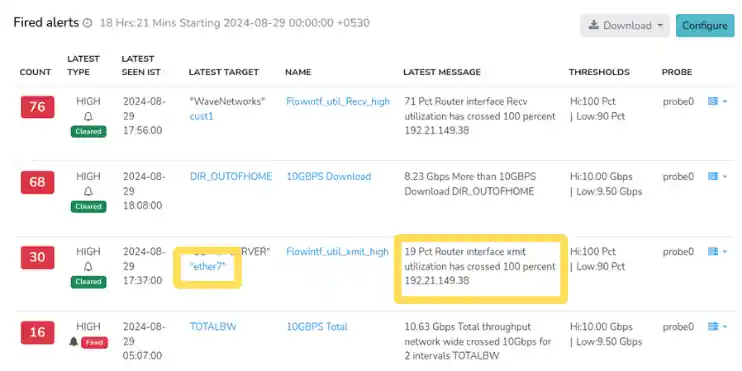
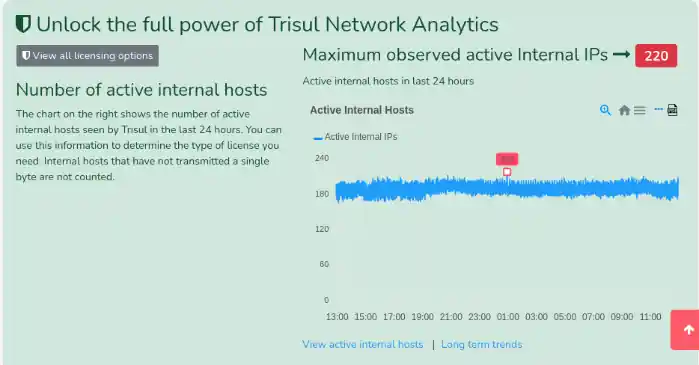
To detect unusual network traffic patterns, teams need to compare live flow behavior against learned traffic baselines and identify abnormal deviations. Trisul NetFlow Analyzer performs NetFlow anomaly detection by continuously analyzing flow metrics and applying ML-driven Threshold Bands to learn normal traffic behavior and flag abnormal traffic pattern detection in real time.
DDoS Detection Using NetFlow Traffic Analysis
How can I detect DDoS attacks using NetFlow?
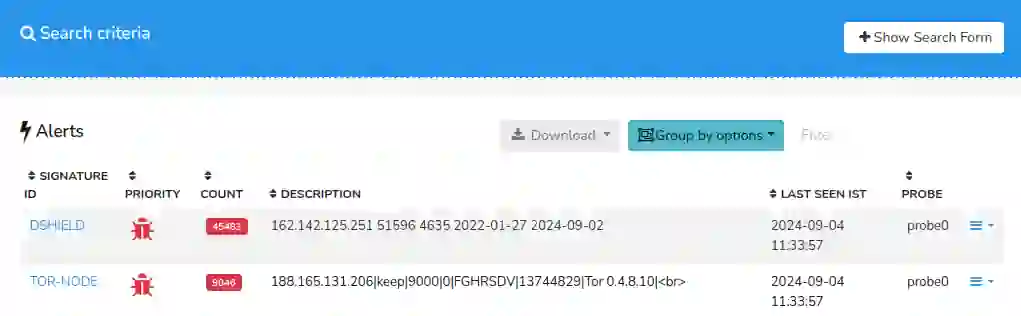
DDoS detection using NetFlow requires monitoring sudden spikes in traffic volume, flow rates, and host-level traffic concentration to identify attack patterns. Trisul NetFlow Analyzer performs NetFlow DDoS analysis by applying Threshold Bands and Threshold Crossing Alerts on flow metrics to detect abnormal traffic surges and identify attack sources and targets through DDoS traffic analysis.
Multi-Tenant Network Monitoring
How can I monitor multiple customers or departments separately?
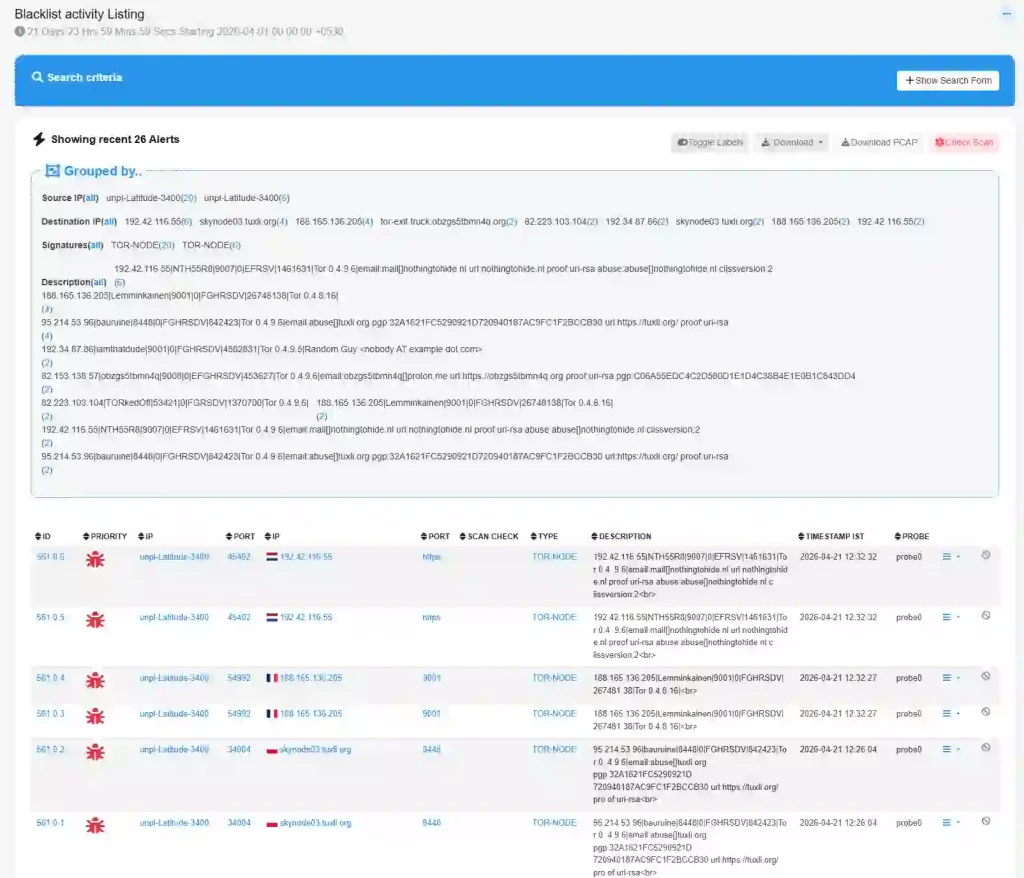
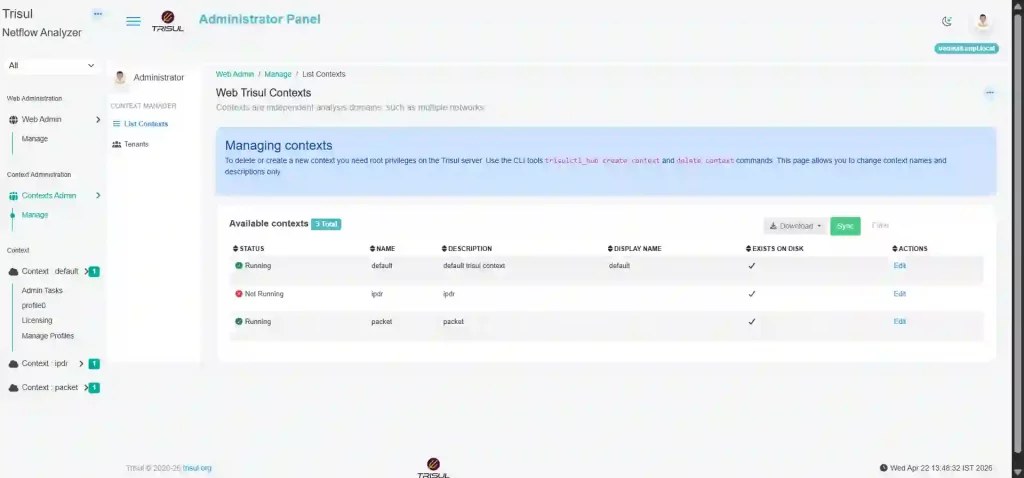
Multi-tenant network monitoring requires isolating traffic data, analytics, and reporting for each customer or business unit within shared infrastructure. Trisul NetFlow Analyzer supports tenant-based NetFlow monitoring by mapping each tenant to a dedicated Context, where flow records, dashboards, and configurations are processed independently for secure network traffic segmentation by tenant.
- Monitor traffic separately for each customer, tenant, or department
- Generate tenant-specific dashboards and usage reports
- Manage independent traffic analytics and configurations per Context
Benefit: Simplify multi-customer operations, improve tenant-level accountability, and support secure delegated traffic monitoring.
Flow Stitching and Conversation Analysis
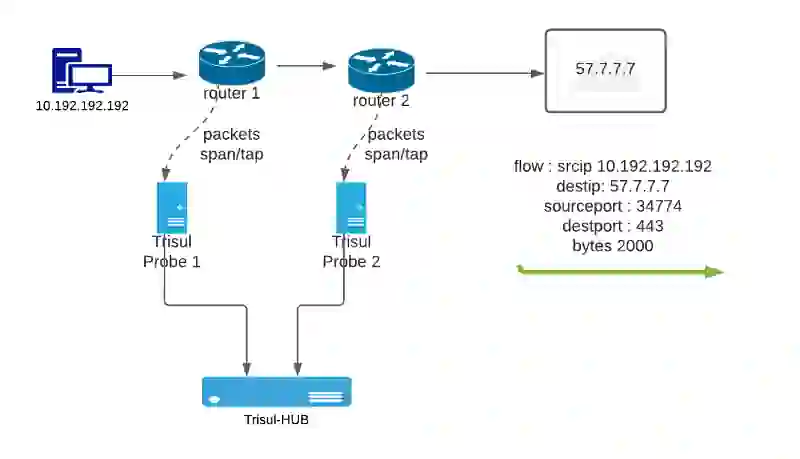
How can I view complete network conversations instead of fragmented flows?
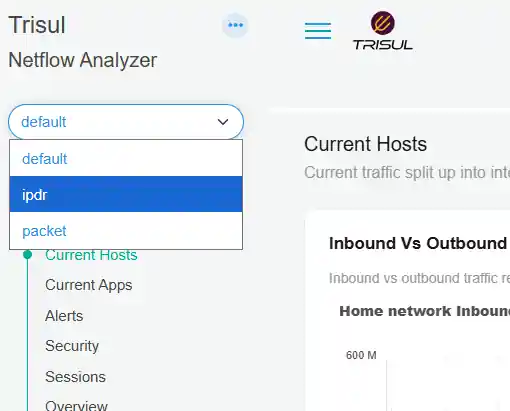
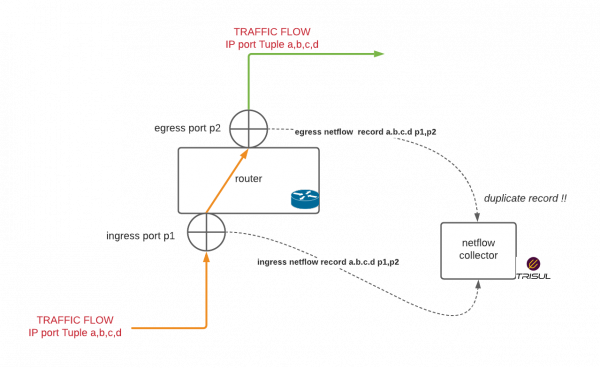
Flow stitching requires correlating ingress and egress flow records to reconstruct complete traffic conversations between endpoints. Trisul NetFlow Analyzer performs NetFlow conversation analysis by de-duplicating overlapping flow records and merging uni-directional flows into bi-directional flow analysis views for accurate network conversation analysis.
Custom Dashboards and NetFlow Reporting
How can I create custom dashboards and reports for network monitoring?
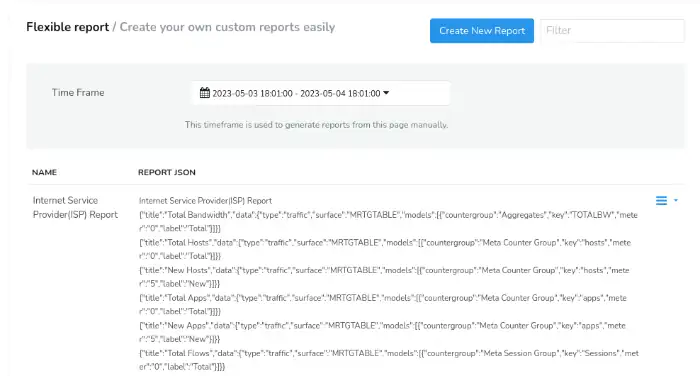
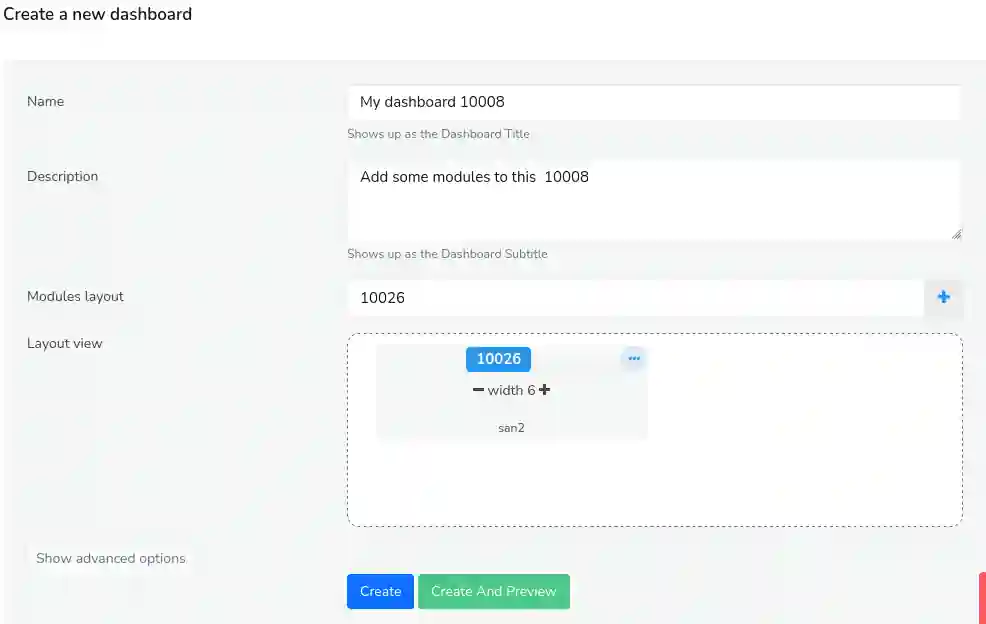
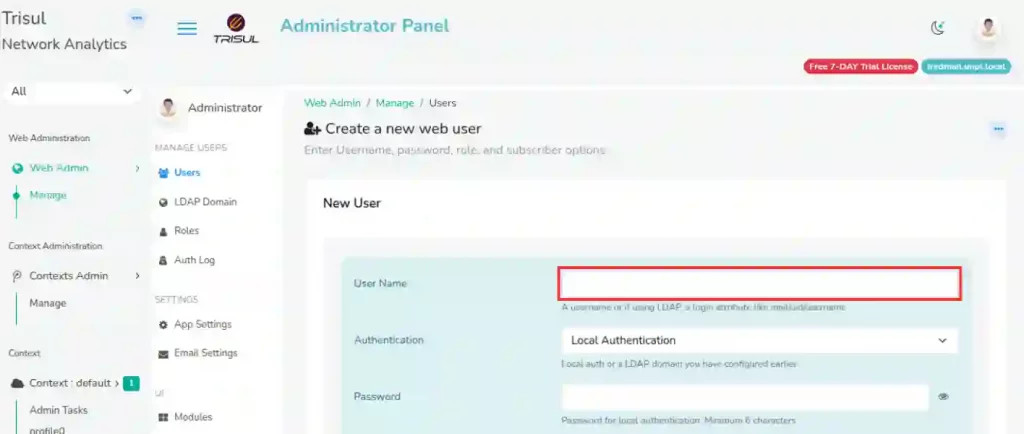
Creating custom NetFlow dashboards and custom network traffic reports requires organizing traffic metrics into role-specific views for monitoring and reporting. Trisul NetFlow Analyzer builds network traffic dashboards using customizable dashboard Modules to visualize live flow metrics, and generates NetFlow traffic reporting using CounterGroups, Meters, and Keys for scheduled or on-demand network monitoring reports.
- Build role-specific dashboards for NOC teams, management, or customers
- Generate scheduled traffic reports across hosts, applications, and interfaces
- Create drilldown reports for traffic trends, conversations, and alerts
Benefit: Improve operational visibility, simplify reporting workflows, and support faster decision-making.
NetFlow Alerts and Threshold Monitoring
How can I get alerts for unusual network activity?
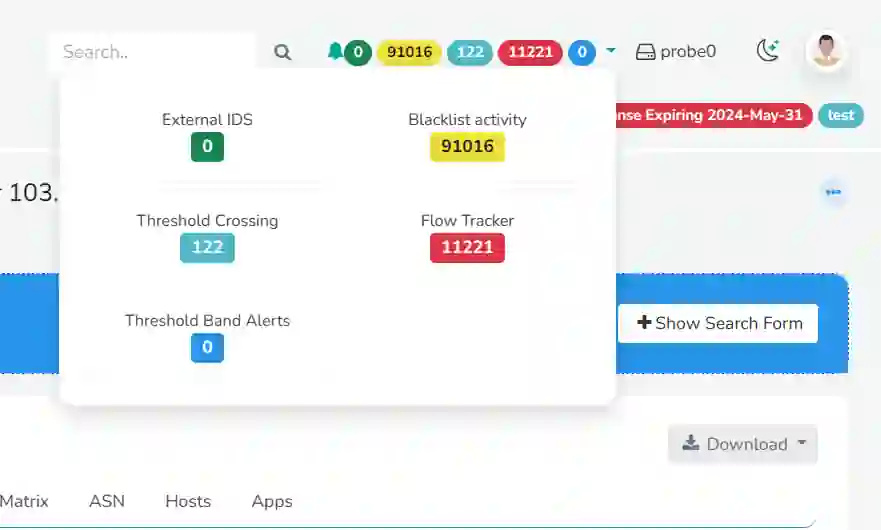
Getting NetFlow alerts requires monitoring flow metrics against fixed thresholds and learned traffic baselines. Trisul NetFlow Analyzer performs threshold monitoring using NetFlow by applying Threshold Crossing Alerts (TCA) on CounterGroups and using Threshold Bands to generate real-time network traffic alerts when traffic behavior deviates from expected patterns.
- Track recurring traffic anomalies across hosts, applications, and interfaces
- Correlate alert events with traffic history and live traffic views
- Investigate abnormal traffic behavior to identify root causes
Benefit: Detect network issues earlier, reduce operational blind spots, and improve incident response.
NetFlow Integration and Extensibility
How can I integrate NetFlow data with other systems?
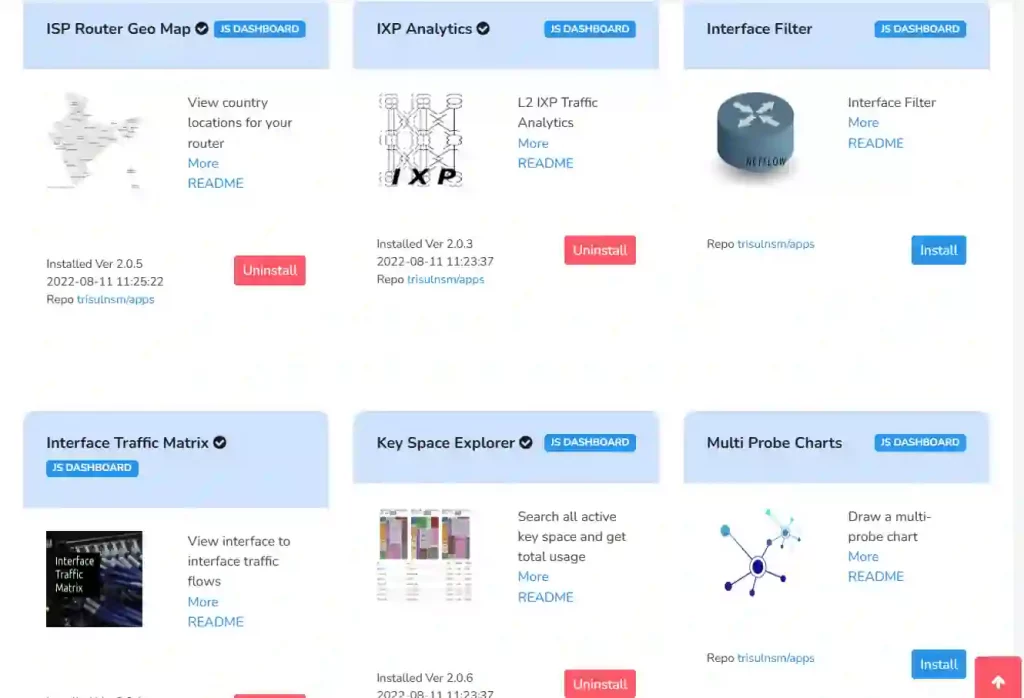
NetFlow integration requires programmatic access to flow data, alerts, and reports for external workflows. Trisul NetFlow Analyzer supports NetFlow API integration through REST APIs and extends NetFlow extensibility using Trisul Apps for custom processing, NetFlow SIEM integration, and automated report delivery for NetFlow workflow automation.
- Export flow data, alerts, and reports into SIEM and monitoring platforms
- Build custom integrations and processing logic using Trisul Apps and APIs
- Automate recurring report delivery and data exports for operational workflows
Benefit: Streamline integrations, reduce manual workflows, and extend NetFlow analytics into existing operational systems.
NetFlow Analyzer Frequently Asked Questions
How can I monitor branch office traffic and WAN links using NetFlow?
Trisul NetFlow Analyzer collects flow exports from branch routers and WAN links to provide branch office traffic monitoring and WAN traffic monitoring, helping teams analyze bandwidth utilization, identify WAN bottlenecks, and troubleshoot remote office connectivity issues.
How can I monitor Cisco router traffic using NetFlow?
Trisul NetFlow Analyzer processes NetFlow exports from Cisco routers and switches to provide Cisco router traffic monitoring, interface traffic visibility, top talkers analysis, and bandwidth utilization reporting across enterprise networks.
How can I monitor Palo Alto firewall traffic using NetFlow?
Trisul NetFlow Analyzer analyzes NetFlow exports from Palo Alto Networks firewalls to provide firewall traffic visibility, application traffic analysis, and host-level traffic monitoring across firewall interfaces.
How can I identify top talkers in my network?
Trisul NetFlow Analyzer uses Top-K analytics to perform top talkers analysis, continuously ranking hosts, applications, and conversations by traffic volume to identify heavy bandwidth consumers.
How can I detect suspicious outbound traffic using NetFlow?
Trisul NetFlow Analyzer analyzes outbound flow behavior to detect unusual traffic destinations, abnormal transfer patterns, and potential data exfiltration attempts through outbound traffic anomaly detection.